Mandatory in Spain from 5 October 2026
DeCA software for transport companies in Spain
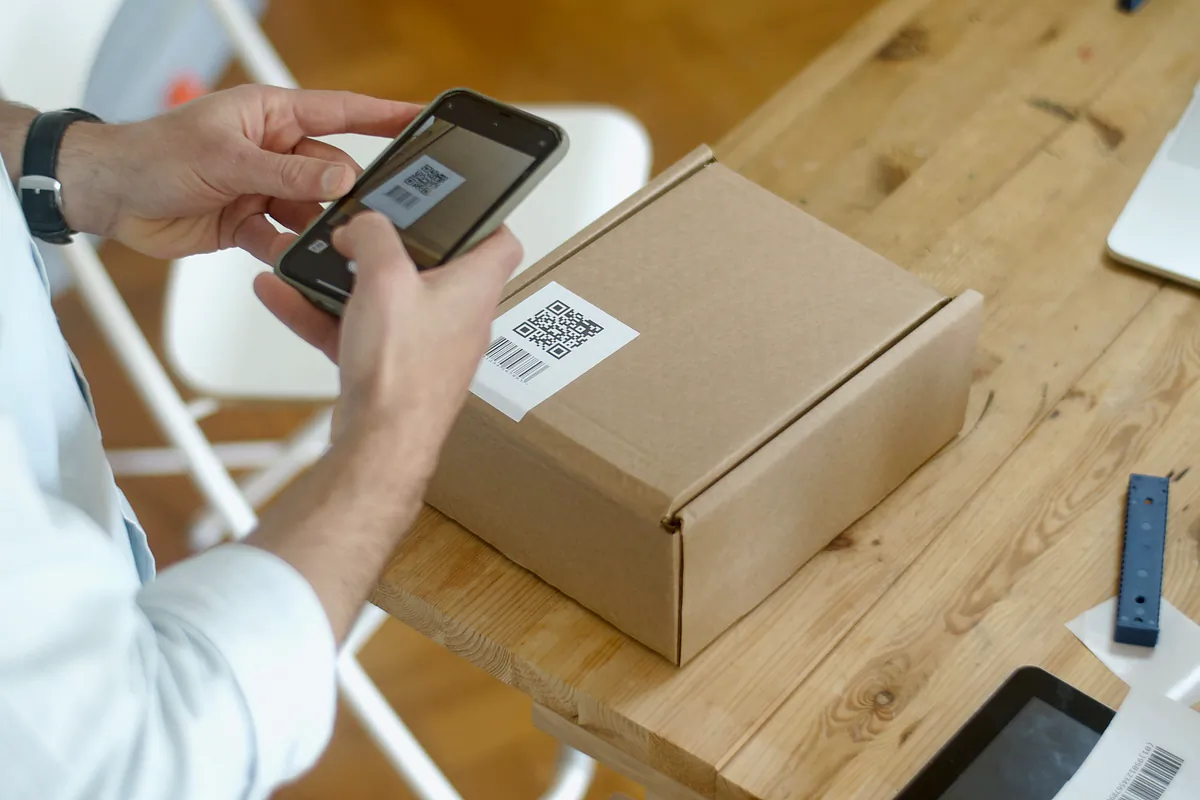
Your driver shows the QR code and the officer downloads the DeCA on the spot. LeyDeca issues it, sends it to the phone and keeps it as the law requires.
or talk to us now: WhatsApp +34 603 32 43 77

The software on screen: the list of DeCA documents in the office and, in front, the driver's phone showing the DeCA QR code.
- 5 Oct 2026 the DeCA becomes mandatory Law 9/2025, 8th transitional provision
- 5 MB maximum PDF size Resolution of 5 June 2026
- 1 year minimum retention of each document Order FOM/2861/2012, art. 9
- €401 to €600 fine for a missing or incomplete document LOTT, art. 141.17
What changes
What changes now the DeCA is mandatory
From 5 October 2026, the control document that travels with every consignment in Spanish public road haulage has to be digital. The requirement comes from Law 9/2025 of 3 December on Sustainable Mobility (Ley 9/2025, de Movilidad Sostenible) and covers domestic haulage in Spain, cabotage included. Paper control documents are no longer valid, and Spain's Ministry of Transport has said there will be no extra period without fines. International journeys that run partly through Spain keep using the CMR consignment note or the e-CMR.
The data has not changed: it is still the list in article 6 of Order FOM/2861/2012. The format has. The Resolution of 5 June 2026 of the Directorate-General for Road and Rail Transport requires a native PDF of up to 5 MB, created before the service starts, with a QR code inside and a unique URL that downloads it without asking for a password.
That is the job of DeCA software like LeyDeca, which also puts the document on the driver's phone. For the article-by-article detail, read what the DeCA law in Spain requires.

Roadside check
How a roadside inspection works with LeyDeca
Transportes Moncayo is hauling floor tiles for Cerámicas del Ebro from Castellón to Getafe, near Madrid: 18,400 kg on tractor unit 4821 LKM with semi-trailer R-7745-BCX. This is the DeCA's journey from the office to the delivery.
-
01
The traffic office issues the DeCA before departure
The traffic manager picks shipper, route, tractor unit and driver from the address book. LeyDeca validates tax IDs and plates, builds the PDF with its QR code and records the creation date and time.
-
02
The driver gets it on the phone
It appears instantly in the assigned driver's app with the day's other jobs, and stays on the phone so it can be shown with no signal.
-
03
The officer asks for the documents
At a Guardia Civil traffic checkpoint, the driver opens control mode: QR code full screen, high brightness and the main load details in large type.
-
04
The PDF downloads with no password
The officer scans the QR code and the PDF downloads directly, with no login page and no buttons. Back at the office, the access is logged with date, time and device type.
-
05
Delivery closes with signature and photos
In Getafe, the consignee signs on screen and the driver photographs the load. The delivery note comes out as a PDF, with location and time, ready to email.
What it does
DeCA software features
What the traffic office uses every day and what the driver carries in a pocket.
-
Issuing from address book and templates
Customers, places, vehicles and drivers come from the address book. Repeat jobs are saved as templates or duplicated with one button.
See the DeCA software -
QR code and direct-download URL
Every DeCA has a unique https URL and a QR code inside the PDF. Opening it downloads the document, and every access is logged.
What the Resolution requires -
Driver app
Installs from the browser on Android and iPhone. Shows the day's jobs and the QR code in control mode.
See the DeCA driver app -
Delivery note with signature and photos
Consignee signature and photos of the container and weighbridge ticket, in a PDF you can email.
See the digital delivery note -
For carriers and shippers
Issue as actual carrier (transportista efectivo) or as contracting shipper (cargador contractual). If you subcontract, send the link to the subcontractor's driver by WhatsApp or email.
See cases by profile -
Archive ready for an inspection
Search with filters, CSV export and ZIP download of all the PDFs for a period.
What each plan includes
Article 6
What goes into the Spanish electronic control document
These are the essential data in article 6 of Order FOM/2861/2012. Neither a signature nor the driver's name is required for goods.
-
Contracting shipper Art. 6.a
Name or company name, tax ID (NIF) and address.
-
Actual carrier Art. 6.b
Name or company name and tax ID.
-
Origin and destination Art. 6.c
Where the consignment starts and where it ends.
-
Goods Art. 6.d
Nature and weight, or another unit if the exact weight is hard to know at loading.
-
Special traffic permit Art. 6.e
Only if the vehicle runs under one.
-
Date Art. 6.f
The day the transport takes place.
-
Registration plates Art. 6.g
For an articulated vehicle, both the tractor unit and the semi-trailer or trailer.
-
Remarks Art. 6.h
Reservations or other notes, if the parties ask for them.
LeyDeca will not issue a DeCA with a field missing. It checks the control digit of Spanish NIF, NIE and CIF numbers and the format of Spanish plates, and accepts foreign ones.
Driver app
The DeCA app your drivers carry
The driver opens the app, sees the day's jobs and, when pulled over, taps control mode: the QR code fills the screen at high brightness, with the main load details underneath in large type.
Today's DeCAs are stored on the phone and can be shown with no signal. Anyone who prefers paper gets an A4 version with the QR code, and a subcontractor's driver receives the link by WhatsApp or email without signing up. The PDF carries English labels next to the Spanish text, which helps foreign drivers on cabotage jobs.
More detail on the DeCA driver app.
- Full-screen QR code in control mode
- Today's DeCAs available with no signal
- Android and iPhone, no app store
Inspection mode
DC26-000418
Show this code to the officer
- Contracting shipper
- Cerámicas del Ebro, S.L.
- Goods and weight
- Ceramic tiles · 18.400 kg
Digital delivery note
Delivery notes with signature, container photo and weighbridge ticket
At delivery, the driver collects on the phone the consignee's signature, name and ID number, the time, the GPS location and any remarks. Photos are sorted by category: container or load, weighbridge ticket, damage and other.
You can require minimum photos before a note is closed, for example one of the container and one of the ticket, and record the ticket's weight and number. Each photo is compressed on the phone to about 200 to 400 KB, so it uses little data.
Closing the delivery generates a PDF delivery note with the signature, the photos and a verification QR code, ready to email to the consignee. More on the digital delivery note.

Who it is for
DeCA for owner-operators, fleets, agencies and shippers
Who issues the DeCA depends on who contracts whom. There are examples of each case in DeCA for carriers, agencies and shippers.
One truck, one phone, no office
Issue the DeCA from your phone's browser before setting off and show it at the checkpoint on the same phone. The Basic plan, for up to 5 drivers, costs €39 a month plus VAT, with unlimited DeCAs.
- Issue from your phone
- Templates for repeat jobs
- Control mode on the same phone
Traffic office at the desk, drivers on the road
The traffic office issues and amends; each driver only sees their own jobs. Roles cover administrator, traffic office, driver and read-only access, with a log of who changed what and when. Foreign fleets on cabotage in Spain can run it all in English.
- Live fleet map
- Several consignments in one DeCA
- CSV export and ZIP download
You issue, the subcontractor drives
If you subcontract the job, you are the contracting shipper. You issue the DeCA with the details of the carrier doing the journey and send the link to their driver by WhatsApp or email.
- Address book of partner carriers
- Download link for the other party
- API to create DeCAs from your TMS
Factories and warehouses that buy transport
If you contract the carrier directly, you are the contracting shipper and answer for the shipper, carrier, route and goods data. Issue from the warehouse or from your ERP via the API.
- Weight in kg, litres, m³ or pallets
- Dangerous goods with UN number
- PDF copy for the carrier
Before and now
Paper control document versus DeCA
This is what changes in day-to-day work.
- Where it is
- Paper documentIn the cab and in an office folder
- DeCA with LeyDecaAt an https URL and on the driver's phone
- If a field is missing
- Paper documentYou find out at the checkpoint
- DeCA with LeyDecaIt cannot be issued
- At the checkpoint
- Paper documentThe officer reads what the sheet says
- DeCA with LeyDecaThe officer scans the QR code and downloads the PDF
- Changes on the road
- Paper documentHandwritten corrections, no trail
- DeCA with LeyDecaReason, date and time logged; the old value is marked NO VÁLIDO (not valid)
- Subcontracted driver
- Paper documentSomeone has to get the sheet to them
- DeCA with LeyDecaGets the link by WhatsApp or email
- Retention
- Paper documentArchive boxes for a year
- DeCA with LeyDecaSearch, CSV and ZIP by period
- Delivery note
- Paper documentAnother sheet that comes back signed days later
- DeCA with LeyDecaSignature and photos on the phone, PDF straight away
Getting started
Up and running in one day
There is nothing to install on your computers, because LeyDeca runs in the browser. Our team does the setup with you.
-
Demo and questions
Tell us how you work today, how many vehicles you run and if you subcontract. We go through the software together and answer your questions about the Resolution.
-
Account and setup
We create your company account, set up the numbering series and load your customers and vehicles from a CSV file.
-
Short training
Brief training for the traffic office and for drivers, who install the app from their phone's browser.
-
First DeCA
The same day you can issue a DeCA and watch it reach the driver's phone.
Security and archive
Security and document retention
Every DeCA and all its versions are kept while your account is active, so the one-year minimum required by law is covered. You can export them whenever you want.
Who can see what
Each company only accesses its own data, and each driver only their own jobs. Passwords are stored encrypted with Argon2id, and you can turn on two-step verification with an authenticator app. Repeated login attempts are blocked progressively, by user and by IP address.
Where the data lives
The servers are in Spain, inside the European Union, with daily backups. The application is protected against SQL injection, XSS and CSRF and uses HSTS and CSP headers. Each DeCA's public link carries a random 22-character code that cannot be guessed.
Plans and pricing
A plan for every fleet size
All three plans include unlimited DeCAs and every feature. You choose by how many drivers you have.
-
Basic
For owner-operators and small fleets
€39/month + VAT
Up to 5 drivers
Get started -
Medium
For mid-sized fleets
€99/month + VAT
Up to 25 drivers
Get started -
Max
For large fleets
€169/month + VAT
Up to 50 drivers
Get started
Every plan includes
- Unlimited DeCAs
- Driver app with roadside mode
- Delivery notes with signature and photos
- Live fleet map
- REST API and exports
- Email support
Monthly prices, VAT not included. The demo is free with no obligation. More than 50 drivers? We will prepare a quote.
From the blog
Guides to the DeCA in Spanish road haulage
Regulation explained with examples, roadside checks, amendments and everyday cases.
-
DeCA mandatory in Spain from 5 October 2026: what changes and how to prepare
From 5 October 2026 paper no longer counts as the control document for domestic road freight in Spain. What changes, who it affects and what to have ready.
Read more -
DeCA mandatory data fields: what Spain's control document must include
What Spain's road freight control document must contain under article 6 of Order FOM/2861/2012, with worked examples, common mistakes and who answers for each field.
Read more -
DeCA example: what a valid Spanish control document PDF looks like
A sample DeCA for 18,400 kg of tiles from Castellón to Getafe, explained part by part: data, QR code, URL and metadata. And why a scanned template is not valid.
Read more
Your first DeCA can go out today
In a free, no-obligation demo we show you the full flow: issuing, roadside check and delivery note. If you already know what you need, pick your plan and start issuing on the day you sign up.
FAQ
Frequently asked questions
What people ask us most about this.
What is DeCA software?
DeCA software is the program that generates the electronic administrative control document for each consignment in Spain. It stores the data listed in article 6 of Order FOM/2861/2012, creates a native PDF with a QR code before the service starts and publishes it at an https URL that downloads directly. LeyDeca also sends it to the driver's phone, logs every access and closes the delivery with a signed delivery note.
Can a foreign carrier doing cabotage in Spain use LeyDeca?
Yes. Cabotage operations in Spain need a DeCA just like domestic jobs, and LeyDeca works in English in the browser. The PDF carries English labels next to the Spanish text, the driver app installs from the browser on Android and iPhone, and foreign registration plates are accepted. If a partner carrier does the job, you can send the link to its driver by WhatsApp or email.
How long does it take to start issuing DeCAs?
You can issue your first DeCA on the day your account is created. Our team sets up the company, the numbering series and your customers and vehicles from a CSV file, and gives short training to the traffic office and drivers. Nothing is installed on office computers, and the driver app installs from the phone's browser.
Can the driver show the DeCA with no mobile signal?
Yes. Today's DeCAs are stored on the driver's phone and can be shown in control mode without coverage. The QR code holds the document's URL, so whoever scans it downloads the PDF over their own connection. If the phone runs out of battery, a printed A4 copy with the QR code is also valid.
Does the officer need a special app to read the QR code?
No. The QR code contains an ordinary https URL that opens with any QR reader, such as a phone camera. Opening it downloads the PDF directly, with no username, password or buttons, as the Resolution of 5 June 2026 requires. In the DeCA record you will see every access with its date, time and device type.
What happens to my DeCAs if I stop using LeyDeca?
They are yours to take with you. Documents and all their versions are kept while the account is active and can be exported at any time, so before cancelling you download the PDFs and data and keep them for the year the law requires. That duty lies with the contracting shipper and the actual carrier, and it stays with you even if you change software.