Electronic proof of delivery
Digital delivery note for road transport: signature, photos and weighbridge ticket on the phone
The driver closes the delivery on the same phone that carries the DeCA, Spain's electronic control document: recipient's signature, photos of the container or load, and the weighbridge ticket weight. The office gets the PDF without waiting for the truck.
- Signature with name and ID number
- Minimum photos set by your company
- Weighbridge ticket weight and number
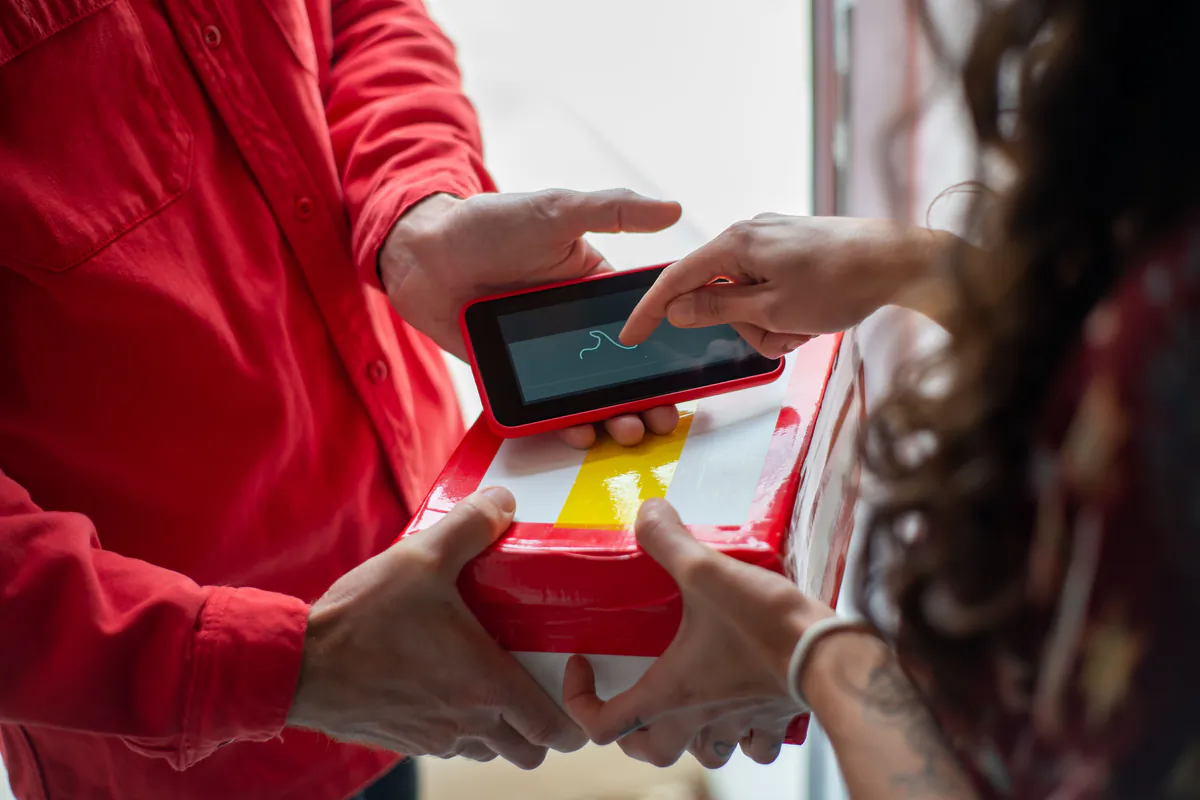
From paper to phone
What a digital delivery note is and what changes from paper
A digital delivery note is the proof of delivery that the recipient signs on the driver's phone instead of on a sheet of paper. It records the usual details (what was delivered, to whom, when and with what reservations) and adds what paper cannot carry: photos, the weighbridge ticket weight, the location and the exact time of the signature.
Any transport manager knows the route a paper note takes. It spends the week in the glovebox and reaches the office with an unreadable signature or two and a weighbridge ticket half faded by the sun on the dashboard. If a customer disputes a weight a month later, someone has to dig through boxes.
With LeyDeca the delivery note lives in the same app as the DeCA for that job, and the office has the PDF as soon as the driver closes the delivery.
What stays the same
The delivery note (albarán in Spain) is still a commercial document between you and your customer. It does not replace the control document required by Order FOM/2861/2012 of 13 December, which must be digital from 5 October 2026: the DeCA (Spain's electronic administrative control document). We explain the difference in delivery note vs control document.
At the unloading point
How a delivery is closed on the phone
An everyday case: a Transportes Moncayo driver drops a container of building rubble at a recycling plant in Zaragoza.
-
Opens the job
The driver opens the day's job, the same one that holds the DeCA, and moves on to closing the delivery.
-
Takes the photos
A photo of the container and another of the weighbridge ticket. If your company requires a minimum number of photos, the app will not close the delivery note without them.
-
Records the ticket
The weight shown on the ticket and its number are entered next to the photo of the ticket itself.
-
The recipient signs
The plant supervisor signs with a finger on the screen, and their name and ID or tax number are recorded. Any issues go under remarks and reservations.
-
The PDF is generated
LeyDeca records the date and time, location and device, and generates the delivery note PDF with a verification QR code, which the office can already see.
Delivery photos
Photos sorted by category that use little mobile data
A delivery photo is only useful if you can find it later. That is why every photo in LeyDeca goes into a category: container or load, weighbridge ticket, damage or other. When a customer asks about a broken pallet, the office opens the damage photos for that delivery note without having to ask the driver.
The phone itself compresses each photo to roughly 200 to 400 KB before uploading it, so it uses little data, and delivery note photos are included on every plan, within reasonable use. Everything else the driver does on the phone is covered in the DeCA driver app.
- Container, ticket, damage and other
- 200 to 400 KB per photo
- Included on every plan
Delivery photos
DC26-000418

Container
Weighbridge ticket
Damage
Containers, aggregates, construction
Container and weighbridge ticket photos, mandatory if you decide so
The law does not require photos of the container or the weighbridge ticket: neither Order FOM/2861/2012 nor the June Resolution asks for any. Taking them is common practice in the container, waste, aggregates and construction trades, where disputes with customers tend to come down to two questions: how much did it weigh and what state was it in.
LeyDeca lets you turn that habit into a company rule. You set the minimum number of photos needed to close a delivery note (for example, one of the container and one of the ticket) and the rule applies to all your drivers. Without those photos, the app will not let them close it.
When a building contractor claims the container was half empty, you will have the photo, the ticket with its number and the weight, with the date and time the delivery was closed.
Declared and actual weight
Weighbridge ticket weight vs the weight on the DeCA
The weight on the DeCA is the one declared before departure; the weighbridge ticket shows the weight actually measured, which the driver records on the delivery note. If you invoice per tonne, that is the figure you care about. When the two differ, you need to know who answers for the declared weight and how to correct it.
Which weight goes on the DeCA
Article 6.d of Order FOM/2861/2012 requires the nature and weight of the goods, and allows another unit of measure when the exact weight is hard to know at loading. A container of rubble leaving a site with no weighbridge can be declared as "1 container, 9 m³". LeyDeca accepts kilograms, tonnes, litres, cubic metres, pallets and packages. This field is the responsibility of the contracting shipper (cargador contractual, Article 7), so if you issue the DeCA on your customer's behalf, ask them for the figure in writing.
How to correct the DeCA during the service
Transportes Moncayo loads gravel at the Áridos del Jalón quarry with a DeCA for 25,000 kg, the quantity the site ordered, and the exit weighbridge reads 26,340 kg. To put the real weight on the DeCA, the transport office edits it in LeyDeca and enters a reason ("actual weight per weighbridge ticket no. 48213"). This is the Resolution's first method: same PDF, same URL and same QR code, with a change log in which the old value is marked "NO VÁLIDO" (no longer valid). The driver gets the new version straight away.
The other option is to cancel and reissue, with a new URL and QR code and the original kept and marked as cancelled. What does not work is crossing out the weight on a printed copy, because handwritten notes on a printed copy do not count. There are more examples in how to modify a DeCA during the service.
Signature and evidence
Digital signature on the delivery note, with recorded evidence
The recipient signs with a finger on the driver's phone screen, without installing anything. Their name and ID or tax number are recorded with the signature, and any objection (an open pallet, missing packages) goes under remarks and reservations.
When the delivery is closed, LeyDeca stores this evidence:
- SHA-256 hash of the document. If a single comma changed, the hash would no longer match.
- Date and time of the signature.
- Geolocation of the phone at that moment.
- Device used to sign.
So "nobody signed anything here" gets an answer backed by data. The location is only stored at the moment of signing: LeyDeca does not track the truck during the day.
Side by side
Paper delivery note vs digital delivery note
What happens to each one from unloading until someone in the office needs it.
- Signature
- Paper delivery noteA scribble, sometimes with no name or ID
- Digital delivery note with LeyDecaOn-screen signature with name and ID or tax number
- Date and time
- Paper delivery noteWhatever someone writes, if they write it
- Digital delivery note with LeyDecaRecorded when the delivery is closed
- Place
- Paper delivery noteNot recorded
- Digital delivery note with LeyDecaGPS location at the moment of signing
- Photos
- Paper delivery noteOn the driver's phone, if taken
- Digital delivery note with LeyDecaInside the delivery note, by category
- Weighbridge ticket
- Paper delivery noteStapled on, lost or faded
- Digital delivery note with LeyDecaPhoto of the ticket, with weight and number
- Reaches the office
- Paper delivery noteWhen the truck gets back
- Digital delivery note with LeyDecaWhen the delivery is closed
- Customer copy
- Paper delivery noteScan or photo sent by hand
- Digital delivery note with LeyDecaPDF emailed to the consignee
Two documents
What the DeCA is and what the delivery note is
Both travel on the driver's phone, but they do different jobs. The DeCA states who carries what and in which vehicle; the delivery note, how it was delivered.
| Aspect | DeCA | Delivery note |
|---|---|---|
| What it is | Administrative control document for the transport | Commercial proof of delivery |
| Mandatory | Yes, from 5 October 2026 for domestic transport and cabotage in Spain, except exempt cases | Not required by the DeCA rules |
| When it is made | Before the service actually starts | On delivery |
| Content | The Article 6 data: contracting shipper, actual carrier (transportista efectivo), origin and destination, goods and weight, date and registration number | Signature and recipient's details, photos, weighbridge ticket, remarks |
| Signature | Not mandatory; if used contractually, AdES at least | On-screen signature with evidence |
| Format | Native PDF of 5 MB at most, with QR code and unique URL | PDF with verification QR code |
| Who asks for it | Officers at a roadside check and the Land Transport Inspectorate | Your customer |
Source: Order FOM/2861/2012 and Resolution of 5 June 2026.
The final document
A delivery note PDF for your customer on the same day
Every closed delivery generates a delivery note PDF with everything captured at unloading: job details, name and ID or tax number of the person who received the goods, signature, date and time, location, remarks, weighbridge ticket weight and number, and photos, plus a verification QR code.
That PDF can be emailed to the consignee from LeyDeca. Your customer gets a complete proof of delivery instead of a skewed photo of a piece of paper, and your accounts team has the signed note and the weight to invoice with their usual software (LeyDeca does not issue invoices). Nobody has to scan delivery notes on Monday morning.
Delivery notes with signature and photos are included in all three LeyDeca plans: Basic, Medium and Max. See the rest of the DeCA software features or the price of each plan.
See a delivery note closed from start to finish
In the demo we show you the DeCA and the delivery note on the driver's phone, with minimum photos, weighbridge weight and signature, and look at how it fits the way you work.
FAQ
Frequently asked questions
What people ask us most about this.
Is a photo of the container and weighbridge ticket mandatory in Spain?
No. Neither Order FOM/2861/2012 nor the Resolution of 5 June 2026 requires photos on the control document or the delivery note. Photographing the container and the ticket is common practice in containers, waste, aggregates and construction, because it settles disputes about weight and the condition of the load. In LeyDeca each company can require a minimum number of photos before a delivery note can be closed.
Is the signature on a digital delivery note an advanced electronic signature?
We do not present it as one. It is the signature on the delivery note, made on the driver's phone screen, and LeyDeca records evidence with it: SHA-256 hash, date and time, geolocation and device. The DeCA does not need a signature; if your company also uses it for contractual purposes and signs it, the June Resolution requires at least an advanced (AdES) or qualified (QES) electronic signature.
What if the weighbridge ticket weight does not match the DeCA?
Record the weight and ticket number on the delivery note and, if you want the DeCA to show the actual weight, modify it during the service. LeyDeca asks for the reason, marks the old value as no longer valid and keeps the same URL and QR code. The driver gets the new version straight away. Correcting a printed copy by hand is not valid. The contracting shipper answers for the declared weight.
Can the driver show the delivery note at a roadside check instead of the DeCA?
No. At a roadside check, officers ask for the control document: the DeCA with its QR code or, failing that, just the QR code. The delivery note is a commercial document closed on delivery, whereas the DeCA must exist before the service actually starts. In LeyDeca both are in the driver app, each for its own purpose.
Do delivery note photos use a lot of the driver's mobile data?
Very little. LeyDeca compresses each photo on the phone before uploading it, to roughly 200 to 400 KB. A delivery with one photo of the container, one of the weighbridge ticket and two of damage stays under 2 MB. Delivery note photos are included on every plan, within reasonable use, and are stored with each delivery note.
How does my customer receive the signed delivery note?
By email, as a PDF. When the delivery is closed, LeyDeca generates the delivery note with the signature, the recipient's name and ID or tax number, date and time, location, remarks, ticket weight and photos, plus a verification QR code, and it is sent to the consignee from there. The person signing does not need to install anything: they sign on the driver's phone.