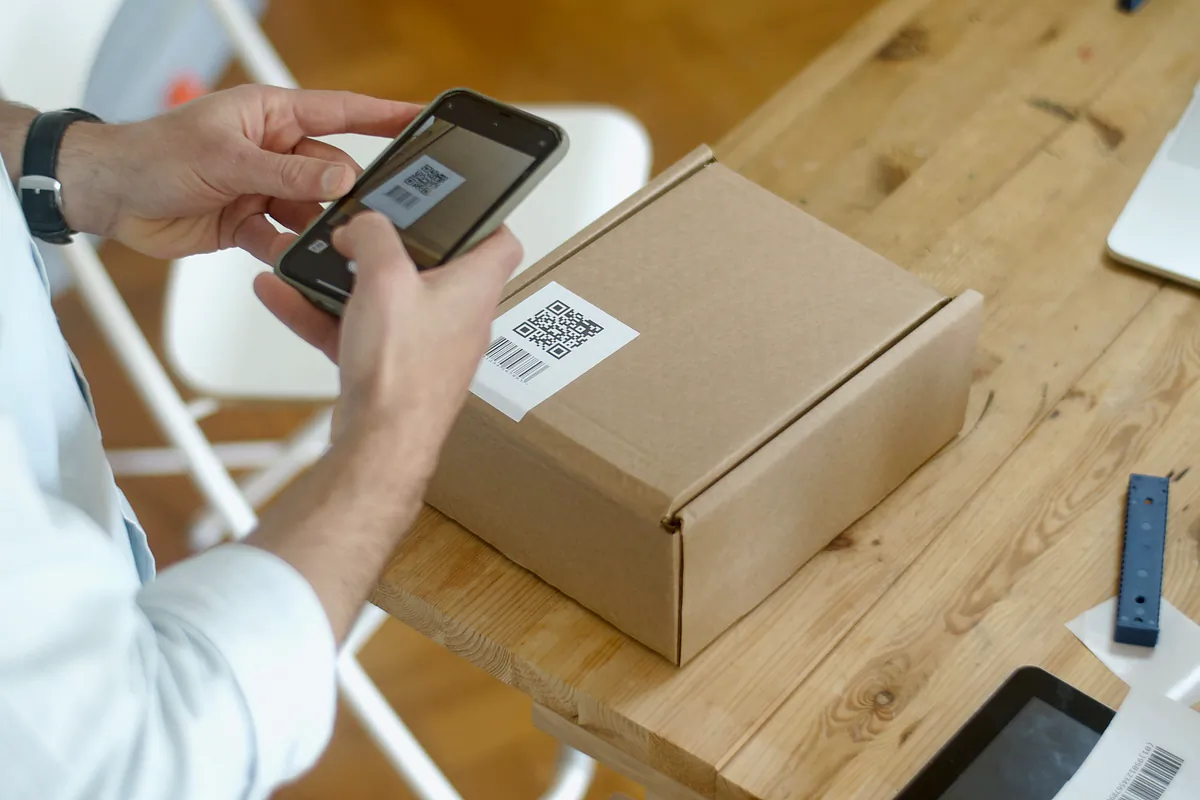
At a roadside inspection in Spain, the officer asks for the DeCA (Spain's electronic administrative control document), scans its QR code and, when the URL opens, the PDF must download directly, with no username, password or buttons. The driver can show it on a phone or as a printed copy, always with the QR code, and if there is nothing else, the QR code alone is enough. Everything else depends on the document being right before departure and the driver knowing where it is.
This guide explains what happens step by step, what the link must comply with, what to do with no signal or a flat battery, why handwritten corrections do not count and how the office can tell that a DeCA has been checked. It applies equally to foreign drivers doing cabotage in Spain.
What the officer asks for at a DeCA roadside check
The control document can be requested by staff of the Land Transport Inspection Services and by officers of the forces that police road transport, such as the Guardia Civil traffic division. Since 5 October 2026, for domestic transport and cabotage, that document is the DeCA. The Resolution of 5 June 2026 of the Directorate-General for Road and Rail Transport (in Spanish) states in its seventh section what the driver must present:
When, during an inspection, officers request the electronic administrative control document, the driver shall present the DeCA with the QR code or, failing that, just the QR code. (Our translation of section seven.)
Before the service starts, the driver must have received a copy of the DeCA, either electronic to show on a phone or printed on paper, and in both cases with the QR code. The driver may also carry the QR code as a separate file. The officer does not need to know which software your company uses: the repository can sit on any domain and does not have to be notified to the authorities. According to the Ministry's FAQ, the software does not need to be certified and nothing has to be uploaded to any Ministry platform: the officer downloads each DeCA from the repository where it is stored.
What the officer does with the QR code, step by step
An example: a Transportes Moncayo truck carrying floor tiles for Cerámicas del Ebro from Castellón to Getafe, 18,400 kg, tractor unit 4821 LKM and semi-trailer R-7745-BCX, stopped at a check near Tarancón.
- The officer asks for the documents. The driver opens the DeCA on the phone, or takes out the printed copy, and shows the QR code.
- The officer scans the QR code with their own device. The code contains the document's unique URL, which starts with https://.
- The PDF downloads. When the URL opens, the file downloads directly from the repository of the software that generated it.
- The officer compares the document with what is in front of them. Tractor unit and semi-trailer plates, goods and weight, origin and destination, date, contracting shipper (cargador contractual) and actual carrier (transportista efectivo).
- The dates can be checked. The creation date and time, and the modification date if there is one, are in the PDF metadata. Creation must come before the service actually starts.
- Any changes are visible. If the DeCA was amended during the journey within the same PDF, the new data, the reason and the old data marked as no longer valid all appear.
One detail worth understanding: what the officer takes away is the PDF downloaded from the repository, not what is on the driver's screen. If the DeCA was amended within the same PDF, the QR code does not change and the officer downloads the updated version even if the driver holds an old copy. Even so, the Resolution requires the amended PDF to reach the driver too. To see what a complete DeCA contains, there is an annotated one in this DeCA PDF example.
The language of the PDF is not regulated: neither the Resolution nor the Ministry's FAQ deals with it. In LeyDeca the text is in Spanish with secondary labels in English, which helps when a foreign driver is doing cabotage.
Why the URL must download the PDF without a password
The Resolution sets very specific conditions for each DeCA URL in its third section:
- It must use HTTPS with TLS 1.2 or higher, so it starts with https://.
- Its format is free and it may include security measures such as tokens or expiry, but it cannot expire before the service ends.
- Calling it must trigger a direct download of the PDF.
- A URL that leads to a page asking for a username, password or other authentication is not valid, and neither is one with download buttons or other manual steps.
- Seven calendar days after the end of the service, downloads may be switched off.
The reason is practical: the officer has no account in your software and no time to browse a website on the hard shoulder. If your link opens a portal with a "View document" button, it does not comply, however well designed it is. Test it from a phone that is not logged into your software, or in a private browser window: it should download the PDF and nothing else.
In LeyDeca, for example, the URL is https://leydecasoftware.com/d/ followed by a random 22-character code, it works over TLS 1.2 and 1.3, and it stays active 7, 15 or 30 days after the service ends, as each company chooses. After that, the link shows a deactivation notice. The one-year retention is a separate matter.
No signal, flat battery or the DeCA in the wrong place
Checks do not always happen where the signal is good. What needs a connection to download the PDF is the officer's device. What the driver has to do is show the DeCA with the QR code or, failing that, the QR code.
If the driver's phone has no signal
A QR code needs no connection to be shown, because it is an image. If the driver opened the DeCA before setting off and has it saved on the phone, it can be shown on a mountain pass without a single bar of signal. The trouble starts when the document can only be viewed online, for example if the driver depends on opening an email or a website at that moment. That is why the PDF should be saved on the phone, or in the driver app, before the truck moves.
If the battery dies
The Resolution accepts a printed paper copy with the QR code. For drivers who spend long hours on the road, carrying printed copies of the day's DeCAs, or at least their QR codes, is a good habit, like keeping a charger in the cab. If the phone dies and there is no paper, the driver has nothing to show, and the LOTT (Spain's Land Transport Act) treats it as a serious offence when a company fails to make sure its drivers have the documents at checks. We explain it in our article on fines for a missing control document.
If the DeCA is still in the office inbox
It is an easy mistake in the first days: the traffic office issues the DeCA and it stays in their inbox. The Resolution says the copy must be given to the driver before the service actually starts. Sending it from the office while the officer is already asking for it is too late.
Printed copies are fine, handwritten corrections are not
Some drivers prefer paper, and that is valid: the Resolution allows a printed copy as long as it carries the QR code. What does not work is writing on it. Handwritten annotations on a printed copy are disregarded, and the only valid way to amend a DeCA is the one in section five: amend the existing PDF or generate a new one.
A typical case. The Transportes Moncayo driver reaches Getafe and is told to unload at the Pinto warehouse instead. He crosses out Getafe on the paper and writes Pinto. For the officer, that correction does not exist. The right way is for the traffic office to amend the DeCA in the software, with the reason for the change, and here is the practical detail:
- If the existing PDF is amended, the URL and QR code stay the same. The printed copy the driver carries still leads to the updated document when scanned.
- If a new PDF is generated, there is a new URL and QR code. The old printed copy is no longer useful and the driver needs the new QR code on the phone or on paper.
In both cases the amended or new PDF must reach the driver. Both methods are explained with examples in how to modify a DeCA during the service.
The access log, or how the office knows a check has happened
The Resolution does not require any of this, but it is useful. In LeyDeca, every time someone opens a DeCA link it is logged with the date, time and type of device, and it shows up on the document's record. If at 10:42 a phone opens the DeCA of a truck on its way to Getafe, the traffic office knows someone has downloaded that document, even if the driver has not called.
It helps in several ways: you can call the driver to ask how it went, review that DeCA's data calmly in case a fine arrives, and have a record of when the document was opened. It is not an official document and does not replace what the officer writes in the report, but it gives you information that never existed with paper.
Quick checklist for the driver before setting off
- The DeCA for the job is on the phone, opened at least once, or printed with the QR code.
- The plates on the document match the tractor unit and semi-trailer you are driving today.
- You know how to show the QR code full screen with the brightness up, so the officer can read it first time.
- You have a charger in the cab, and a paper copy if you are heading into areas with poor coverage.
- If anything changes on the way, you call the traffic office to amend the DeCA. No pens.
- If you are stopped, you show the DeCA with the QR code or, if you cannot, just the QR code.
In LeyDeca, the driver app has a control mode that shows the QR code full screen with high brightness and the main details in large type, and the day's DeCAs stay saved on the phone so they can be shown without signal. You can see it on the DeCA driver app page.