To choose DeCA software, compare each product against what Spain's Resolution of 5 June 2026 requires and against what you'll need day to day: a native PDF with the QR code inside, a direct-download URL with no passwords, retention for at least a year and modifications with a full history. There is no official register or certification of DeCA programs, so the checking is up to you. Here are 12 requirements and how to verify each one in a demo.
The DeCA (Spain's electronic administrative control document) is mandatory for domestic road haulage and cabotage in Spain from 5 October 2026. This list works the same for an owner-operator with one truck as for a forwarder with fifty subcontractors. The volume changes; what the document has to comply with doesn't. And it's worth deciding now: the Ministry has made clear there will be no additional period without penalties after 5 October 2026.
DeCA software doesn't need certification
The Spanish Ministry of Transport's official DeCA FAQ puts it plainly: "no hay que certificar las aplicaciones informáticas del DeCA", in other words, DeCA software applications do not have to be certified. The June Resolution sets out what the software, the PDFs and the URLs must be like, but it does not create any register of programs. Nor do you have to upload anything to a Ministry platform or notify the domain where the documents are stored: the first section says it can be any domain and needs no prior notification.
That has two consequences. First, if a vendor presents their product as "certified" or "approved by the Ministry", be wary: no such procedure exists. Second, responsibility for compliance stays with the contracting shipper (cargador contractual) and the actual carrier (transportista efectivo), not with the software. That's why it pays to check every requirement yourself before signing anything.
SIMPLE, the free public option
Before comparing products, it's worth knowing there is a public alternative. SIMPLE is a free platform run by Spain's Ministry of Transport, Puertos del Estado (the state ports body) and ADIF (the rail infrastructure manager) which, among other functions, generates the DeCA. Access is requested on its website, starting with registering your organisation, and according to its official manual each DeCA is generated by completing three forms. It isn't mandatory: each company can use whichever application it prefers.
To decide, run it through the same list as any commercial product and look above all at the work around the document, which is where tools differ most: how long it takes to issue a DeCA when you run thirty jobs a day, if there's a customer address book and templates for repeat jobs, how the driver receives the document and shows it at a check, if you can see when the QR code was scanned, and if you also need delivery notes with signatures and photos or users with different permissions.
Requirements that come from the Resolution
The first eight come straight from the Resolution of 5 June 2026 of the Directorate-General for Road and Rail Transport. If a DeCA software product fails any of them, it's no use to you.
1. A native PDF, not a scan
The DeCA must be a PDF of no more than 5 MB, generated natively from the data in the application. Scans and digitised images are not valid. To check, open a test DeCA and try to select the text: if it can be selected and the file is small, that's a good sign; if it's an image, it doesn't comply. If you want to see what a correct document looks like, we walk through a DeCA example PDF section by section.
2. The QR code inside the PDF itself
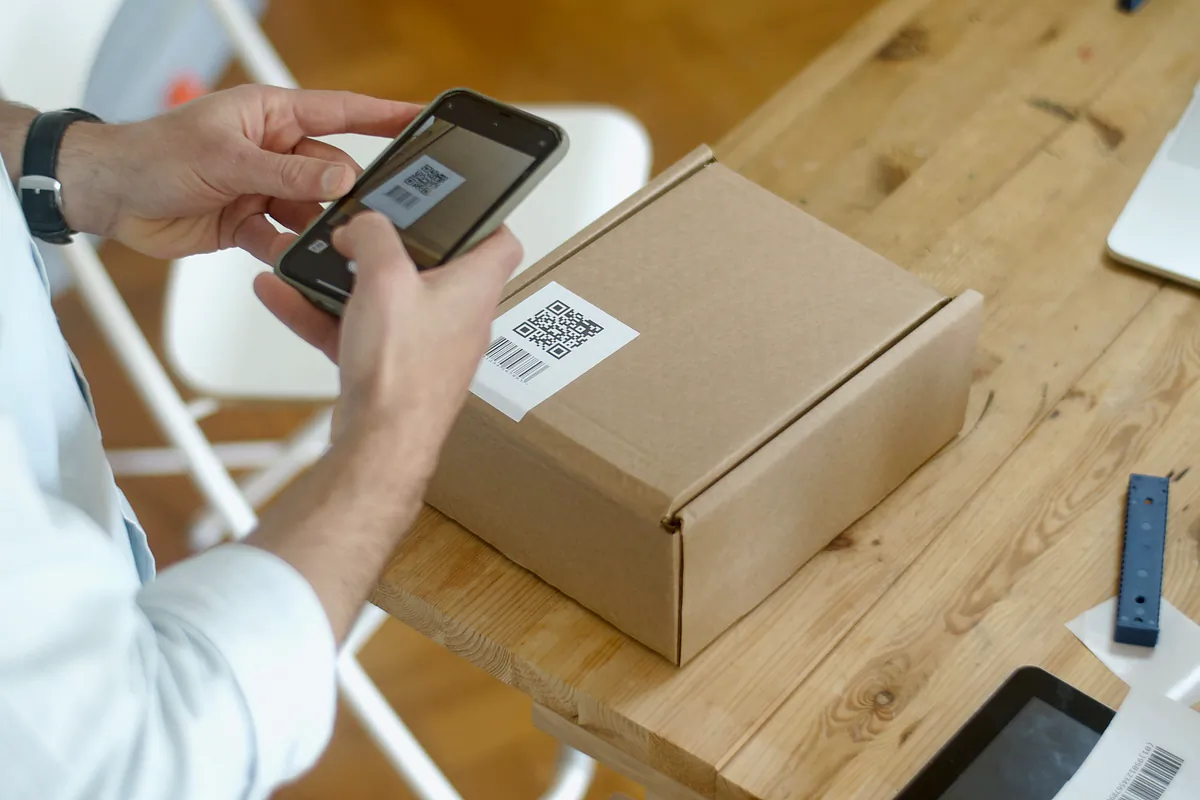
The QR code with the document's URL has to be inside the PDF; showing it on an app screen or in a separate email is not enough. It can also be offered as a separate file, which is handy when the driver wants it close at hand on the phone. Check: download the PDF and look for the QR code.
3. Direct download, no username or password
Opening the URL must download the PDF directly. A page that asks for a username, a password or any other authentication is not valid, and neither is one that makes you press a download button. It's the easiest requirement to overlook, because from the office, with your session open, everything seems to work. Check: scan the QR code with a phone that doesn't have the software installed or any session open. If anything other than the PDF appears, rule the product out.
4. HTTPS with TLS 1.2 or higher
The URL must start with https:// and use TLS 1.2 or a later version. Make sure the address in the QR code starts that way and ask the vendor to confirm the TLS version in writing. Anyone in IT can verify it with one of the public server checkers available online.
5. A link that doesn't expire too early
The URL can include security measures such as encryption, tokens or an expiry date for the link, but it cannot expire before the service ends. Seven calendar days after the end of the service, the download can be switched off. Ask how long the link lasts and what happens if a job runs over because of a breakdown or a day's delay at unloading. Ideally each company should be able to choose a generous margin.
6. Creation and modification date and time
The software must record the date and time the file was created, to prove that the DeCA existed before the service actually started, and the date and time of every modification. Those dates are stored as metadata in the PDF. Check: open the document properties in your PDF reader and look at both dates.
7. One-year retention and access for the other party
The contracting shipper and the actual carrier must keep DeCAs for at least a year. They can use separate repositories, and if one of them generated the files, it's enough for the other to be able to download them for that year. Ask how long documents are kept, whether the other party can download them without signing up to the software, and if all the PDFs can be downloaded in one go when inspectors ask for them at your office.
8. Modifications with traceability
During the service there are only two valid ways to change a DeCA: amend the same PDF, leaving the old value marked as not valid along with the reason, or generate a new one and keep the original. Software that overwrites the document without leaving a trace meets neither. Check: issue a test DeCA, change the plate number and see what's left in the PDF. We explain it with examples in how to modify a DeCA mid-journey.
Requirements that come from day-to-day work
The next four aren't written in the Resolution, but they decide whether the software saves you work or creates more of it.
9. A driver app that works without signal
Before setting off, the driver must carry a copy of the DeCA with the QR code, on the phone or on paper. Roadside checks don't always happen where there's good coverage, so check that the app stores the day's DeCAs on the phone and that they can be shown in flight mode. Make sure, too, that the QR code is shown large and bright enough for the officer to scan it first time. What exactly happens at a check is covered in our guide to roadside inspections with a DeCA.
10. Support for subcontractors and shippers
If you're a forwarder, a logistics operator or a manufacturer, the truck often isn't yours: you're the contracting shipper for a subcontracted haulier. The software has to let you issue the DeCA for that haulier and get the link to their driver without forcing them to install anything or sign up. If you're a haulier, the same applies the other way round: you should be able to work with your own trucks and with your partners' trucks. The language of the PDF isn't regulated, but if you work with foreign drivers, on cabotage for example, labels in English as well help them know what they're showing.
11. Exports and a clean exit
Your documents belong to you. Ask if you can export the data to CSV or Excel, download all the PDFs for a period as a ZIP file and take them with you if you ever switch software. The obligation to keep them for a year remains yours even if you cancel the service, so don't accept a system you can't leave with everything. Check whether there's a minimum contract term, too.
12. Security and access control
DeCA software holds data about your customers, your vehicles and your drivers. Check that each company only sees its own data, that there are roles (office, driver, read-only) so each user gets access to what they need, that passwords are stored encrypted and that two-step verification is available. Ask where the servers are and how often backups are made, and confirm that public links use random codes that can't be guessed.
How to test DeCA software in a demo
In a demo, or with a trial account if the provider offers one, you can check almost everything in a short session with any phone. This run-through works well:
- Issue a DeCA with the details of a real job from this week, for example 22 pallets of tiles from Cerámicas del Ebro to a warehouse in Getafe, with Transportes Moncayo as the actual carrier, tractor unit 4821 LKM and semi-trailer R-7745-BCX.
- Leave a mandatory field blank or enter an invalid Spanish tax ID (NIF): good software won't let you issue the document.
- Open the PDF, find the QR code, select the text and check the document properties.
- Scan the QR code with a phone that has no session open and check that the PDF downloads with no intermediate steps.
- Change the semi-trailer's plate number and check what's left in the PDF and what reaches the driver.
- Put the driver's phone in flight mode and see whether the DeCA can still be shown.
- Export a CSV file and download a ZIP with the PDFs from the test.
If at any step you have to call support to find out how it's done, make a note: your dispatch team will have the same question at six o'clock on a Monday morning.
The 12 requirements at a glance
| Requirement | Where it comes from | How to check it |
|---|---|---|
| 1. Native PDF of no more than 5 MB | Resolution, section two | Select the text and check the file size |
| 2. QR code inside the PDF | Resolution, section two | Look for the QR code in the downloaded PDF |
| 3. Direct download with no credentials | Resolution, section three | Scan with a phone that has no session open |
| 4. HTTPS with TLS 1.2 or higher | Resolution, section three | Address starting with https:// and vendor confirmation |
| 5. Link active until the service ends | Resolution, section three | Ask how long the link lasts |
| 6. Creation and modification dates | Resolution, sections one and two | PDF properties |
| 7. One-year retention and access for the other party | Order FOM/2861/2012 and the Resolution | Ask about retention and downloads for the other party |
| 8. Modifications with traceability | Resolution, section five | Change a value and review the PDF |
| 9. Driver app without signal | Daily use | Flight mode |
| 10. Subcontractors and shippers | Daily use | Issue a DeCA for a partner haulier |
| 11. Exports and a clean exit | Daily use | Export CSV and ZIP |
| 12. Security and access | Daily use | Roles, two-step verification and servers |
If you want to run this same list against LeyDeca, book a free, no-obligation demo or look first at all of the software's features.